Why Choose Commercial Smart Locks for Your Business?
Choosing the right commercial smart locks can reshape how a business protects people, rooms, and daily operations. These systems replace scattered keys with controlled digital access. A manager can unlock a storage room remotely, review entry records, or remove access within seconds. That matters when employees change roles or a key disappears.
Cybersecurity expert Bruce Schneier once said, “Security is a process, not a product.” His warning applies directly to commercial smart locks. A lock alone cannot solve weak passwords, poor installation, or neglected software updates. Strong systems combine encrypted communication, reliable hardware, user permissions, and clear emergency procedures. They should also support practical controls, such as temporary access for cleaners or delivery teams. Small details matter. A dead battery should not stop a busy clinic or office.
The best choice depends on the building, staff, network, and risk profile. A hotel may need fast mobile access, while a warehouse may prioritize rugged hardware and audit trails. Experience shows that convenience can create blind spots. Employees may share credentials. Managers may forget to review access logs. Even advanced technology needs human discipline. Businesses should test failure modes before installation, including power loss, internet outages, and damaged devices. Commercial smart locks can improve security and efficiency, but only when they fit a complete access-control strategy. That strategy should be reviewed regularly, questioned honestly, and improved when real-world use exposes its weaknesses.
What Are Commercial Smart Locks?
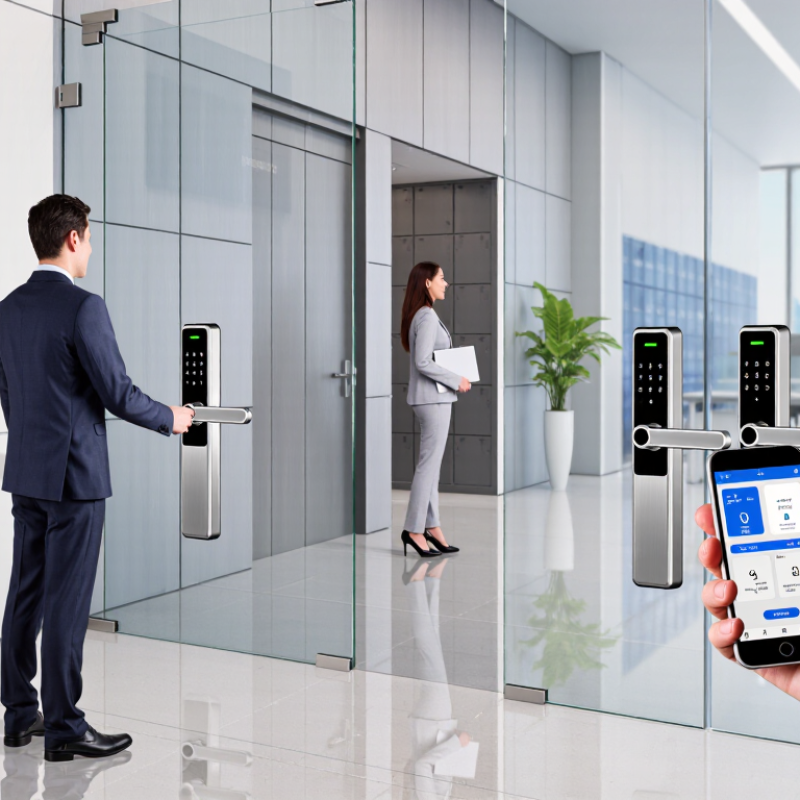
Commercial smart locks are electronic access systems designed for offices, warehouses, clinics, and other business spaces. They replace or support traditional keys with controlled credentials. These may include PINs, access cards, mobile approvals, or biometric checks. A manager can assign permissions by person, door, and schedule. A cleaner might enter from 6:00 to 8:00 a.m., while an employee receives wider access.
The lock usually combines a motorized mechanism, reader, control software, and power backup. Some systems connect through a local network or cloud dashboard. Administrators can add users, remove lost credentials, and review entry records without changing every cylinder. That record can clarify who opened a supply room at 9:14 p.m. It can also expose poor habits. Shared codes remain a problem. They weaken accountability.
In commercial work, dependable installation matters as much as software. Door alignment, battery condition, fire-exit requirements, and network stability all affect performance. A lock should have a tested mechanical override and a clear response plan for outages. In practice, access projects become complicated when buyers measure convenience but ignore door traffic. Smart does not mean perfect. Businesses should test daily use, emergency access, and privacy controls before expanding the system.
Why Choose Commercial Smart Locks for Your Business?
What Are Commercial Smart Locks?
Commercial smart locks combine electronic credentials, permission management, activity records, and remote administration. The five-point scale reflects the practical operational value of commonly available commercial features: a higher score indicates broader support for centralized access control, faster permission changes, and better visibility than a conventional mechanical lock.
How Commercial Smart Locks Work
Why Choose Commercial Smart Locks for Your Business?
How Commercial Smart Locks Work
Commercial smart locks replace traditional keys with digital credentials. These credentials may include a mobile app, PIN, access card, or biometric check. When an authorized person presents a credential, the lock reads its encrypted data. A control unit then compares that data with approved access permissions. If the details match, a small motor releases the latch. The door opens within seconds.
Many systems connect to a secure management platform through Wi-Fi, cellular networks, or a local controller. Managers can assign access by person, location, and schedule. For example, a cleaner might enter from 6:00 to 8:00 p.m. An employee could access the office during working hours only. Every approved or rejected attempt can create a time-stamped activity record. This supports practical oversight.
Power planning matters. Most battery-powered locks send low-battery alerts before access becomes unreliable. Some models retain credentials temporarily during network outages. Others use backup power at the exterior reader. Test these features during installation. Small setup mistakes can cause avoidable lockouts. I have seen teams forget to update former employees’ permissions. That weakness is easy to correct, but only with regular reviews. Smart locks improve control, yet they are not magic. Strong passwords, protected administrator accounts, and maintained hardware still matter. A damaged door frame can defeat an excellent access system.
Key Features for Business Access Management
Commercial smart locks can turn a busy entrance into a controlled access point. For businesses, access management matters more than novelty. Role-based permissions let managers separate staff, contractors, and visitors. A warehouse worker may enter loading doors, but not the finance office. Permissions can follow schedules, too. A cleaner might receive access from 6 to 8 p.m. No shared keys. Fewer awkward handovers.
A reliable system should record every approved entry and denied attempt. Time-stamped audit logs help managers investigate missing stock or late-night access. Temporary credentials are useful for interviews, repairs, and short-term projects. They should expire automatically. Remote controls allow an administrator to revoke access after an employee leaves. This is practical when the office is several hours away. Strong encryption and multi-factor verification add protection, while battery warnings prevent avoidable lockouts. Some doors also need mechanical backup access. That detail is easy to overlook.
Good access management includes clear permissions, regular reviews, and staff training. A dashboard may show too much information, confusing busy supervisors. Keep the display simple. Test emergency procedures before an actual failure. Internet outages, dead batteries, and incorrect schedules can still cause trouble. Smart locks reduce these risks, but they do not remove human error. In my experience, the best setup starts with a door-by-door access map and a written response plan. Review it monthly. Security decisions deserve evidence, not assumptions.
Benefits of Using Smart Locks in Business
Commercial smart locks can improve daily access control without adding more keys to a busy workplace. Employees can use secure credentials, such as mobile access or personal codes. Managers can assign entry rights by role, location, and schedule. This reduces unnecessary access after working hours.
Smart locks also create useful activity records. An administrator can review when a door opened and which credential was used. Temporary access can support contractors, cleaners, or delivery staff without sharing permanent credentials. Remote management may save travel time during an urgent lockout. Still, technology is not perfect. Batteries can fail, networks can disconnect, and poor setup can create confusion. A physical backup plan remains sensible.
Tips: Review access permissions every month. Use strong administrator credentials. Keep batteries and emergency procedures ready. Test the lock during power and network interruptions. Explain privacy practices clearly to employees. A short training session can prevent repeated access mistakes. Do not assume convenience equals security. Configuration matters.