What Is the Best Finger Scan Door Lock in 2026?
The best Finger Scan Door Lock in 2026 is not simply the one with the fastest sensor. It should recognize enrolled users reliably, secure the door physically, and provide a dependable backup when fingerprints fail. A damp thumb, cold hands, or a smudged sensor can turn a convenient entry into a frustrating pause. Small details matter.
The market is expanding, but growth alone does not prove that every product is secure. Grand View Research’s Smart Lock Market report forecasts continued growth in the category, reflecting rising interest in connected access. For technical context, NIST’s Digital Identity Guidelines (SP 800-63B) caution against treating biometrics as a complete authentication solution by itself. That distinction matters: a fingerprint reader should work alongside sound device security, protected user management, and practical recovery options. No sensor is perfect.
This guide compares fingerprint recognition, lock construction, backup entry, battery behavior, app controls, and installation requirements. It also considers how a lock handles everyday realities, like several household members sharing access or a battery warning appearing at the wrong time. Product specifications can be useful, but they do not always reveal how a reader performs on real hands. That deserves scrutiny. Our recommendations therefore focus on verifiable features and clear trade-offs, rather than impressive claims alone. The right choice depends on your door, routine, and tolerance for connected features.
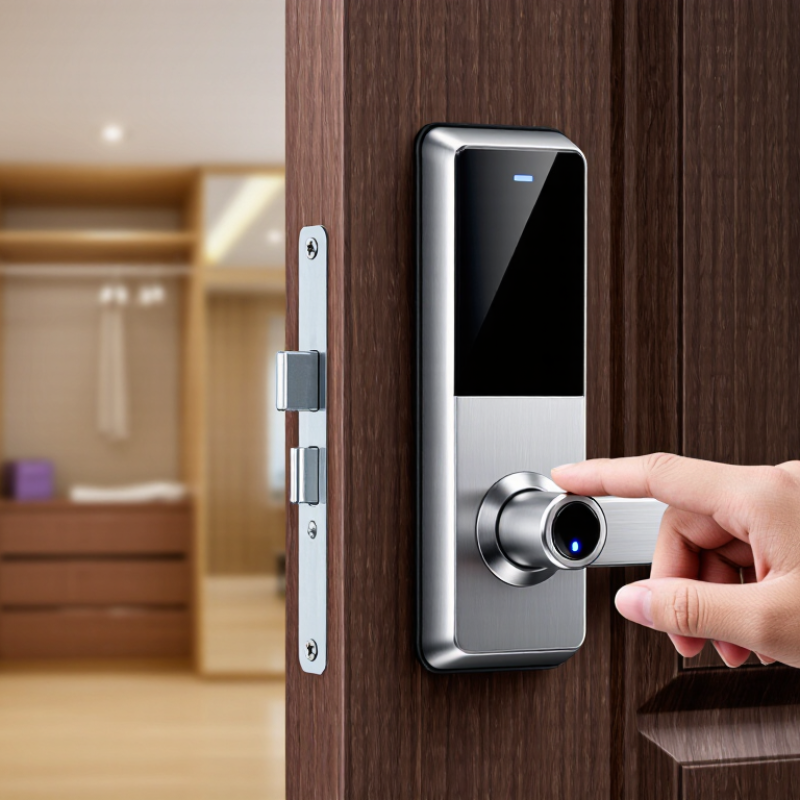
Fingerprint Lock Basics: Sensors, Enrollment, Matching, and Access Methods
A fingerprint door lock turns a finger’s ridge pattern into a digital template. The sensor reads the finger, then software compares the scan with enrolled templates. Capacitive sensors detect tiny electrical differences between ridges and valleys. Optical sensors capture an image, while other sensor designs use different methods. Sensor quality matters, but so do placement and clean, consistent contact.
Enrollment is the setup step. The lock usually asks you to scan one finger several times, changing its angle slightly. This helps it recognize a thumb that lands a little off-center. Dry, clean fingers often scan more reliably than wet or greasy ones. Small detail, real difference. Cuts, worn fingerprints, cold hands, and hurried placement can all cause failed matches. No system is flawless, and a quick setup may miss useful variations.
Matching happens when a new scan is checked against saved templates; the lock then grants or denies access. Check the product documentation to learn how templates are stored and whether matching happens within the lock. Fingerprint access is only one option. A keypad, physical key, or app may provide backup access, depending on the model. I would not rely on a single method for every household. Test the reader with different fingers, and confirm backup entry works before installation.
What Is the Best Finger Scan Door Lock in 2026? - Fingerprint Lock Basics: Sensors, Enrollment, Matching, and Access Methods
| Area | How It Works | Advantages | Limitations and Checks |
|---|---|---|---|
| Capacitive sensor | An array of tiny electrodes detects electrical differences between fingerprint ridges and valleys. | Compact and commonly used in fingerprint readers; it can capture ridge detail without relying on a camera image. | Wet, dirty, worn, or very dry fingers may be harder to read. Keep the sensor clean and check its specified outdoor rating. |
| Optical sensor | Light illuminates the fingertip, and an image sensor records the visible ridge pattern. | The imaging approach is well established and can capture a broad fingerprint area. | Image quality can be affected by dirt, moisture, or surface damage. Sensor type alone does not establish resistance to spoofing. |
| Ultrasonic sensor | Sound waves measure reflected signals from the fingertip to create a representation of fingerprint features. | It can capture fingerprint structure using sound rather than a conventional optical image. | Implementation and performance vary. Look for independent security information and clear guidance on use with wet or damaged fingers. |
| Enrollment | The lock captures a finger several times, extracts distinctive features, and saves a reference template for later comparison. | Careful enrollment from different angles can help the lock recognize the same finger during everyday use. | Enroll clean, dry fingers as instructed. Add a second finger or another authorized user if supported, and remove access for users who no longer need it. |
| Fingerprint matching | A reader compares features from a new scan with enrolled reference data and grants access when the match meets its configured threshold. | Matching can be quick and does not require carrying a key or remembering a code. | No biometric reader is perfect: false rejection and false acceptance are possible. Ask how biometric data is stored, protected, and deleted. |
| PIN or keypad entry | A user enters a code on the lock or an associated keypad. | Useful when a finger cannot be read and for guests who should not be enrolled biometrically. | Use unique codes where possible, avoid easily guessed numbers, and delete temporary codes when they are no longer needed. |
| Mechanical key or emergency power | Depending on the lock, a physical key or external emergency power connection provides an alternative if batteries run low or electronics fail. | Provides a recovery route when the usual electronic access method is unavailable. | Check the exact backup method before purchase and follow the manufacturer’s battery warnings and maintenance instructions. |
| Smartphone or connected access | A compatible phone, app, or connected hub can manage users or operate the lock, depending on its design and connectivity. | May support remote user management, activity records, or temporary access when the required network connection is available. | Confirm which functions work without internet, what data is collected, and how accounts and software updates are secured. |
| Practical buying takeaway: The best fingerprint door lock is one that fits the door, performs reliably in its installation environment, offers a usable backup entry method, supports secure user management, and explains how biometric data is handled. Compare independent testing and the lock’s specific specifications rather than choosing by sensor type alone. | |||