Best UV Flatbed with Roll to Roll Printer in 2026?
Choosing the Best UV Flatbed with Roll to Roll Printer in 2026 requires more than comparing print speed or advertised resolution. Buyers must examine media handling, curing stability, ink performance, automation, and service support. A machine may print vibrant rigid boards at 1,200 dpi, yet struggle with thin vinyl, fabric, or long banner rolls. That gap matters in real production.
Industry data supports this wider view. Smithers’ reports on digital print and printed signage show continued investment in short-run, customized, and on-demand production. Grand View Research also identifies digital printing as a growing market, driven by faster turnaround and flexible personalization. These trends strengthen the case for a hybrid platform. However, market growth does not guarantee that every UV Flatbed with Roll to Roll Printer delivers equal value.
Production evidence is more useful than showroom claims. A reliable system should maintain consistent color across a two-meter banner and a rigid acrylic panel. It should also manage roll tension without wrinkles, banding, or sudden registration errors. Real operators notice these details quickly. They also notice cleaning time.
There is no perfect choice. Some printers offer impressive throughput but require expensive maintenance. Others provide excellent image quality but lack efficient roll conversion. This guide compares leading 2026 options through practical criteria, manufacturer specifications, industry research, and workflow experience. The evaluation remains deliberately cautious, because advertised performance can change under real materials, humidity, operator skill, and daily workload.
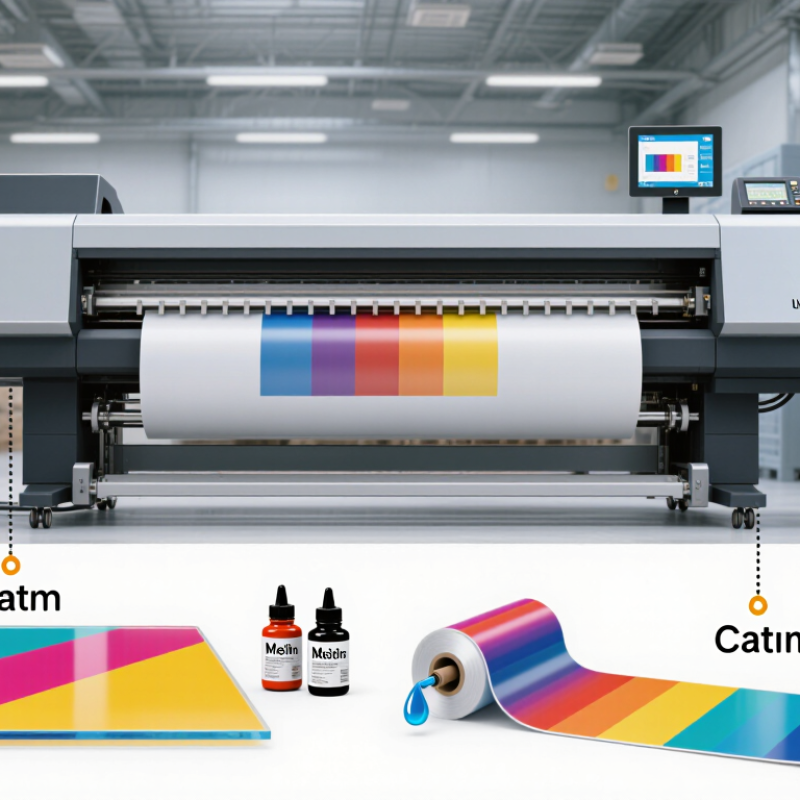
UV Flatbed Roll-to-Roll Printers: Definition and Core Functions
A UV flatbed roll-to-roll printer combines a rigid printing table with a feed system for flexible media. The flatbed holds sheets or panels steady, while rollers guide material from a supply roll to a take-up roll. UV-curable ink is deposited onto the surface and hardened by ultraviolet lamps during printing. That distinction matters.
Its core functions include printing on both rigid and flexible substrates, controlling media movement, and curing ink quickly. A vacuum table can help keep boards flat; adjustable roller tension helps reduce wrinkles in films and banners. Operators may also use test prints to check alignment, color, and ink adhesion before running a longer job. Small checks save material.
The name can be slightly misleading: one machine does not automatically handle every material equally well. A thick, uneven board needs different support from a thin roll of flexible film. Print width, table clearance, feed tension, lamp settings, and surface preparation all affect results. Even a clean-looking print may need an adhesion test, especially on unfamiliar stock. Setup takes attention.
Best UV Flatbed with Roll to Roll Printer in 2026? - UV Flatbed Roll-to-Roll Printers: Definition and Core Functions
| Dimension | Definition or Core Function | Typical Materials or Use | What to Check When Comparing Printers |
|---|---|---|---|
| Printer type | A hybrid UV printer combines a flatbed printing area for rigid substrates with a roll-to-roll system for flexible media. | Rigid panels and sheets, plus media supplied from a roll. | Confirm that both flatbed and roll modes are supported and suitable for the intended production volume. |
| Flatbed printing | The substrate rests on a stationary table while the print carriage deposits and UV-cures ink. | Acrylic, PVC board, foam board, wood, glass, metal, and other compatible flat materials. | Check the usable table area, maximum substrate thickness, loading method, and whether a vacuum hold-down is available. |
| Roll-to-roll printing | Media is unwound, fed through the printer, and collected onto a take-up system during printing. | Self-adhesive vinyl, banner material, flexible film, and other compatible roll media. | Check maximum media width, roll diameter and weight limits, tension control, and take-up options. |
| UV ink curing | UV light cures the deposited ink, forming a solid layer on the substrate surface. | Useful for printing on many compatible rigid and flexible materials, subject to ink and surface requirements. | Review the supported ink system, curing configuration, ventilation guidance, and substrate compatibility. |
| White ink | White ink can provide an opaque base on dark or transparent media, or create selected white-print effects. | Clear acrylic, transparent film, colored materials, and layered graphic applications. | Check white-channel configuration, ink circulation or agitation features, and the workflow for underprinting. |
| Varnish or clear ink | Where supported, clear ink can add gloss, texture, or spot effects to selected parts of a design. | Decorative panels, labels, signage, and other specialty graphics. | Verify whether clear ink is supported and whether it can be applied as a separate layer or in the same print job. |
| Print resolution and detail | Resolution settings affect how fine details and transitions are rendered; actual results also depend on printhead, ink, media, and workflow. | Small text, fine lines, photographs, and large-format graphics. | Compare real production samples and available print modes rather than relying on a maximum resolution figure alone. |
| Media handling | Supports substrate positioning and feeding for the selected printing mode. | Sheets or panels on the bed; continuous flexible media on rolls. | Assess registration, edge guides, vacuum zones, roll tension, and the ease of switching between modes. |
| Print-bed height adjustment | Allows the gap between the print surface and printheads to be set for different substrate thicknesses. | Flat materials with varying thickness, within the printer’s specified limits. | Check the maximum supported thickness, height-sensing method, and recommended head clearance. |
| Workflow and software | RIP software prepares artwork, manages color, arranges jobs, and sends print data to the printer. | Signage, display graphics, interior décor, packaging samples, and short-run custom work. | Confirm supported file formats, color-management tools, nesting or tiling features, and operator training needs. |
| Maintenance and operating costs | Routine care helps maintain print quality and reduce avoidable downtime; operating costs include more than ink alone. | Daily or scheduled cleaning, consumables, power, labor, and replacement parts. | Compare maintenance procedures, service access, consumable requirements, warranty terms, and local technical support. |
| Best-fit selection | The most suitable machine depends on the required media, finished product, print volume, available workspace, and budget. | Choose hybrid equipment when both rigid sheets and roll media are regular production needs. | Request sample prints on your own materials and verify the stated capacity against your actual job requirements. |
Note: Specifications and available features vary by model. Confirm media limits, ink compatibility, print modes, and operating requirements with the equipment supplier before purchase.