How to Choose the Best QR Code Reader in 2026?
Choosing the best Qr Code Reader in 2026 is less about downloading the most popular app. It is about finding a tool that works reliably in real situations. A reader may scan a bright restaurant menu instantly, yet struggle with a damaged ticket under weak station lighting. That difference matters.
Masahiro Hara, the DENSO WAVE engineer who led the QR Code’s development, once said, “I wanted to make the QR Code a public code, not a proprietary one.” His view still matters today. Openness created widespread use, but it also requires careful judgment from users. A dependable Qr Code Reader should identify codes quickly, display the destination clearly, and warn you before opening unfamiliar links. Privacy settings are equally important. Some apps request access to contacts, location, or stored photographs without a clear reason.
Test the details.
This guide compares scanning speed, recognition accuracy, privacy controls, accessibility, offline performance, and advertising behavior. It also considers camera focus, low-light scanning, damaged symbols, and codes printed on curved packaging. Those small tests reveal more than app-store ratings. Experience can be messy. A reader that performs perfectly on a clean screen may fail at a crowded event entrance. No single app is best for everyone, and that is worth admitting. The right choice depends on your phone, habits, security expectations, and scanning environment. This introduction sets a practical standard for evaluating each option with evidence, expert context, and a healthy degree of caution.
What Is a QR Code Reader and How Does It Work?
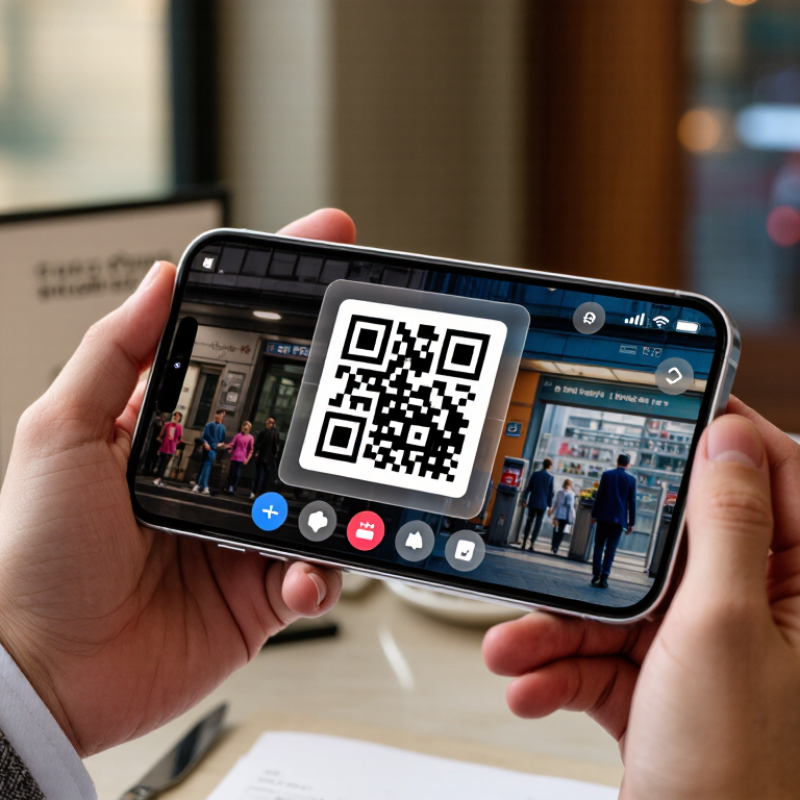
A QR code reader uses your phone’s camera to interpret a two-dimensional pattern. The three large corner squares help it detect position and angle. Smaller modules store numbers, text, contact details, or a web address. Error-correction data can recover information when part of the code is scratched or covered. The process usually takes less than a second, but lighting and camera focus still matter.
Juniper Research reported that global QR-code payment users could exceed 2.2 billion by 2025, up from about 1.5 billion in 2020. This growth makes reader quality more important, not merely convenient. Choose a tool that requests limited permissions, explains the destination before opening it, and supports weak lighting. An offline decoding option is useful when scanning a printed ticket without reliable connectivity. GS1’s Sunrise 2027 initiative also encourages businesses to adopt richer two-dimensional barcodes, including QR-based formats, across retail systems.
In practical testing, scan a code from a glossy package, a dim restaurant table, and a damaged poster. Compare speed and accuracy. A reader that scans quickly may still expose the full link too late. I prefer visible URL previews and a clear history control. Yet no reader can judge every destination perfectly. Human attention remains part of the system. That is easy to forget.
How to Choose a QR Code Reader for Different Devices
Choosing a QR code reader in 2026 starts with the device, not the download page. On a modern phone, test the built-in camera first. It should focus quickly, recognize damaged codes, and preview links before opening them. The International Telecommunication Union reported 5.5 billion people were online in 2024. Mobile compatibility is no longer a minor feature. Older phones may need lightweight software with manual focus, torch control, and offline decoding. That small test matters.
Tablets require large viewfinder controls and reliable landscape support. Hand posture can change scanning accuracy. On laptops, choose a reader that supports webcam selection, clear permission controls, and exposure adjustment. This matters in offices with multiple cameras. For shared computers, automatic data saving can create unnecessary privacy risks. Rugged devices need stronger cameras, dust protection, and readable controls under bright warehouse lighting. Juniper Research forecast more than 2.2 billion QR-code payment users globally by 2025, showing why device flexibility deserves serious attention.
Test printed codes on matte paper, glossy labels, and a cracked screen. Try bright sunlight and dim indoor lighting. Record decoding time, failed attempts, heat, and battery use. No reader is perfect. I still make one flawed assumption: faster scanning is not always safer. A dependable reader should display the destination clearly, support accessibility features, and avoid opening unfamiliar links automatically. Check language options too. Small interface details often decide whether scanning feels effortless or frustrating.
How to Test and Select the Best QR Code Reader for Your Needs
How to Choose the Best QR Code Reader in 2026?
Selecting a QR code reader requires real testing, not attractive download pages. Juniper Research forecast more than 2.2 billion QR-code payment users worldwide by 2025. That growth raises practical concerns about speed, privacy, and reliability. Test each reader with glossy menus, dim screens, cracked displays, and codes printed at different sizes. A strong reader should scan within seconds without repeated camera movement. It should also explain permission requests clearly.
Test difficult angles.
Use the same five codes for every candidate. Measure the time from opening the reader to a successful result. Try bright sunlight, indoor shadows, and a crowded café. Check whether the tool reads codes from screenshots without storing unnecessary images. The European Union Agency for Cybersecurity has repeatedly stressed cautious handling of links and personal data in mobile environments. Therefore, inspect the destination before opening it. A safe reader should show the full address and warn about suspicious redirects.
Accessibility deserves equal attention.
Test larger text, screen readers, vibration feedback, and one-handed use. I would also test weak connectivity, because a reader that scans well offline may still fail during verification. My own mistake was judging performance from a clean office screen. Real surfaces were less forgiving. Battery use can matter too, especially during travel or field work. Record failures, not only successful scans. That evidence makes the final choice more honest.