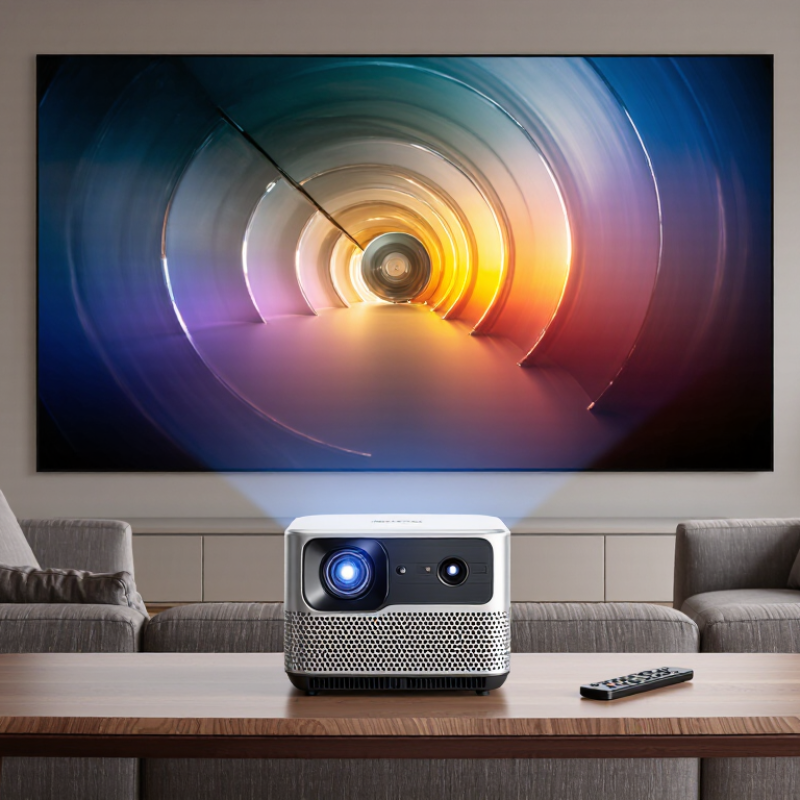
| Basic Function | An entertainment projector enlarges video or image signals and displays them on a wall or projection screen. | Uses a light source, an imaging system, a lens, and signal-processing electronics. | It is suitable for movies, television, gaming, presentations, and shared viewing when a large image is preferred. |
| Image Formation | The projector converts an electrical video signal into controlled light and color pixels. | Common imaging technologies include LCD, DLP, and LCoS-type systems. | Image quality depends on resolution, contrast, color performance, lens quality, room lighting, and screen surface—not on a single specification alone. |
| Light Source | The light source illuminates the imaging system so the lens can project the picture. | LED and laser sources commonly offer long service lives, while lamp-based sources generally require periodic replacement. | LED and laser models are convenient for frequent use. Lamp-based models may require warm-up, cool-down, and proper ventilation. |
| Native Resolution | The number of physical pixels produced by the projector. | Typical options include 1280 × 720, 1920 × 1080, and 3840 × 2160 output or pixel-shifted 4K-class images. | Full HD is generally suitable for everyday movies and gaming. Higher resolution is useful for large screens, detailed content, and close seating distances. |
| Brightness | The amount of visible light produced by the projector, normally stated in ANSI lumens or ISO lumens. | Approximately 1,000–2,000 lumens suits dark rooms; around 2,000–3,500 lumens is more practical for rooms with moderate ambient light. | Compare measurements made using the same standard. Higher brightness can improve visibility, but room darkness and screen size remain major factors. |
| Contrast | The difference between the darkest black and brightest white the system can reproduce. | Native contrast is generally more useful for judging dark-scene performance than dynamic contrast claims. | For movies, reduce stray light and use a suitable screen. A high contrast figure alone does not guarantee accurate shadow detail. |
| Aspect Ratio | The proportional relationship between image width and height. | 16:9 is the standard format for most modern films, streaming video, and television content. | Choose a projector that natively supports the content format to reduce unwanted borders or scaling. |
| Throw Ratio | The relationship between the distance from the lens to the screen and the image width. | Standard-throw models often use approximately 1.2:1 to 2.0:1; short-throw models are commonly below about 1.0:1. | Measure the available installation distance before buying. A short-throw design is helpful in smaller rooms, while an ultra-short-throw design can sit very close to the wall. |
| Screen Size | The diagonal measurement of the projected image. | Home-use images commonly range from about 80 to 150 inches diagonally, depending on room size and brightness. | Larger images need sufficient brightness and viewing distance. Avoid choosing a screen size that makes viewers sit uncomfortably close. |
| Keystone Correction | Digital adjustment that compensates for a trapezoidal image caused by angled placement. | Vertical and sometimes horizontal correction may be available. | Use physical alignment and lens shift when possible. Heavy digital correction can reduce effective resolution and image sharpness. |
| Lens Shift | Mechanical movement of the lens that changes image position without tilting the projector. | Available adjustment varies significantly by model; some compact projectors have no lens shift. | Lens shift generally preserves more image quality than digital keystone correction and is valuable for permanent installations. |
| Refresh Rate | How frequently the displayed image is updated. | 24 Hz is common for film content; 50 or 60 Hz is common for television and console gaming; some models support higher rates at lower resolutions. | Match the projector and source settings to reduce judder, flicker, or unnecessary processing. |
| Input Lag | The delay between an action from a controller or computer and the resulting image change. | Gaming-oriented projectors may achieve below 30 milliseconds in a dedicated low-latency mode, while standard modes can be higher. | For fast games, check input lag at the intended resolution and refresh rate. Turn off unnecessary image-processing features when low latency matters. |
| Connectivity | The ports and wireless options used to receive video, audio, and control signals. | HDMI is the primary video connection; USB, optical audio, Bluetooth, Wi-Fi, and network control may also be available. | Confirm compatibility with the streaming device, game console, computer, sound system, and cable length before installation. |
| Audio Output | The built-in or external system used to reproduce sound. | Built-in speakers are convenient, but their power and soundstage are usually limited compared with separate speakers or a soundbar. | Use an external audio system for films, music, and large-room viewing. Check whether audio delay adjustment is available. |
| Room Lighting | Ambient light that competes with the projected image. | A dark room provides the best black levels and color depth; daylight and overhead lighting reduce perceived contrast. | Use curtains, dimmable lighting, and a suitable screen. Increasing brightness cannot fully compensate for strong light falling directly on the screen. |
| Projection Surface | The wall or screen that reflects the projected image to viewers. | A neutral, smooth, matte-white surface is a common general-purpose choice. | A dedicated screen can improve uniformity and viewing consistency. The screen gain should match the projector brightness and seating arrangement. |
| Ventilation | The airflow required to remove heat generated during operation. | Many projectors use intake and exhaust vents and require clearance around the chassis. | Do not block vents or place the unit on soft surfaces. Maintain the clearance specified in the user manual to prevent overheating. |
| Maintenance | Routine care that helps preserve brightness, cooling performance, and image quality. | Typical tasks include cleaning accessible filters or vents, keeping the lens dust-free, and updating software when applicable. | Power the projector down using its normal procedure, allow adequate cooling, and follow the manufacturer’s cleaning instructions. |
| Best Room Match | The environment in which the projector can perform effectively. | Dark rooms favor cinematic contrast; moderately lit rooms require more brightness and better light control. | Evaluate room dimensions, seating distance, screen position, ambient light, sound requirements, and available power before selecting a model. |
| Recommended Setup Priority | The order in which the major purchase and installation factors should be evaluated. | 1. Room and screen size; 2. Throw distance; 3. Brightness; 4. Native resolution; 5. Connectivity; 6. Gaming and audio features. | Starting with the room prevents buying a projector that cannot produce the required image size, brightness, placement flexibility, or connection compatibility. |